Chords, drums, bass — sketched on your iPhone or iPad, exported as one MIDI file that opens in every DAW. Your producer hits play, you hit record.
voicings, played by real musicians.
Not a music theory book.
Stack them in a song and they sound like a record. Open chords that breathe. Jazz spreads with hand-placed tensions. Pop voicings that actually sit in the mix.
Format, BPM, chords, beat, bass — bundled into one MIDI file. AirDrop it. Your producer hits play in minutes.
Sketch chords, drop in a beat and bass. On your phone, in 20 minutes.
A single .mid file. Format, BPM, chord changes, drum pattern, and bass line — all in there. Send it via AirDrop, iMessage, email, anything.
Logic, Ableton, FL, Pro Tools — anything that reads MIDI. The arrangement is already there.
Producer picks sounds, you grab the mic. Session time is recording time.
The producer never has to figure out the song. They get the song. They just choose the sounds.
Pick a root, a quality, hit Play. Hear every voicing in seconds — on iPhone or iPad.
Your chord palette. Velocity-sensitive pads, 9 strum feels, real-musician voicings — one screen.
Sections A, B, Chorus, Bridge — each with chord cards, drums, and bass. Export the whole arrangement as one MIDI file.
Pop · Trap · Hip-Hop · Rock · R&B · Funk. Tap, play, you're in the pocket.
Eighth-note hat, four-on-the-floor kick, classic pop snare on 2 & 4.
16-step grid · 808 & 909 kits · pads with live record — tweak any preset or write one from scratch.
Scale-aware patterns that follow your chord changes automatically.
Jamerson skip — anchor, ghost, chromatic walk into the next chord.
Step grid plus seven articulations — STAC · SLIDE · GLIDE · MUTE · GHOST · DEAD · LEGATO.
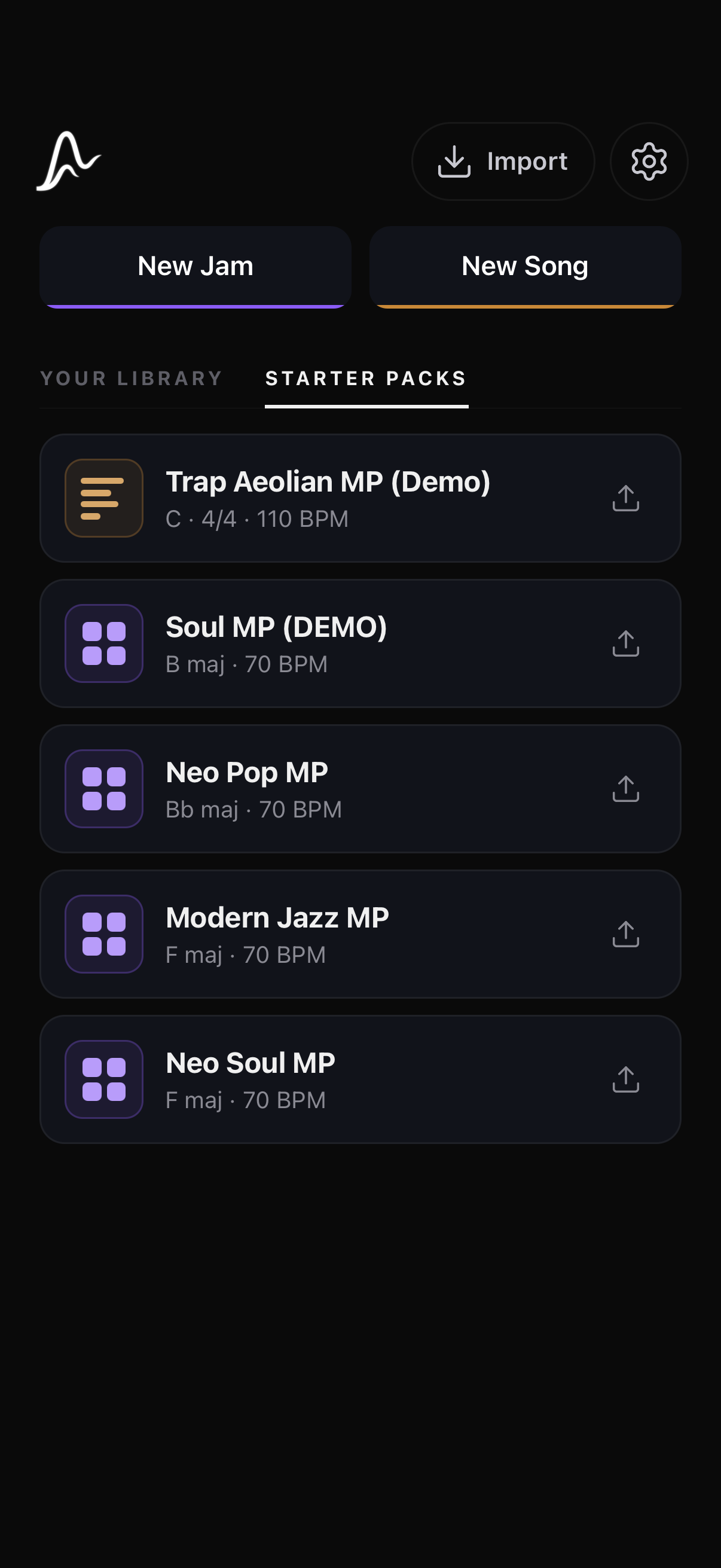
5 starter packs included — Trap, Soul, Neo Pop, Modern Jazz, Neo Soul. Real chord vocabularies, in the key they were written in.
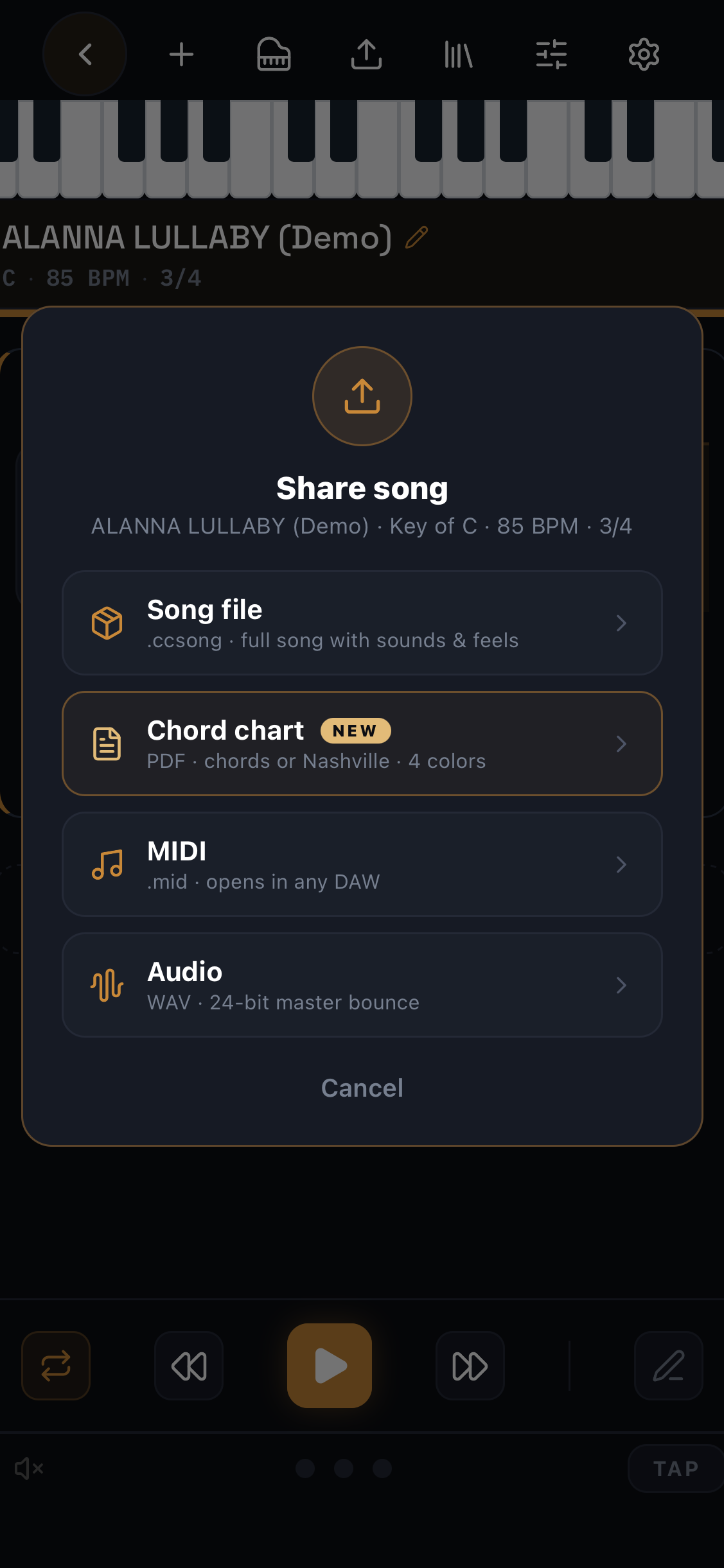
Finish the idea, tap share, pick a format. Send it to a collaborator, a producer, a session — or straight into your DAW.
Sounds, feels, sections — everything. AirDrop it, they open it in ChordCodex and keep working.
Chords, drums, bass on separate tracks. Tempo in the header. Opens in every DAW.
The full arrangement as a master-quality stereo file. Reference mix, demo, or drop it in a session.
Printable session sheet — chords or Nashville numbers, sections and BPM. Hand it to the band.
Two ways to play ChordCodex into your setup. Also runs natively on Apple Silicon Macs.
One USB-C cable. ChordCodex becomes a MIDI instrument in Logic, Ableton, FL, Pro Tools, anything that takes MIDI. No drivers.
A virtual MIDI port that shows up in AUM, GarageBand, Drambo, BeatMaker 3, any CoreMIDI host. Pick it as MIDI input. Tap a chord.
Free to download. Try everything Pro for 7 days. Then go monthly, yearly, or buy Lifetime and never pay again.
Full workflow — sketch, save, share. Pro unlocks export.
Everything Pro unlocks — billed monthly. Cancel any time.
Billed once a year. Cancel any time.
One purchase. Every update forever. Own your tool.
All prices USD · App Store purchase · Refunds via Apple ID. Trial is risk-free — if you don't continue, you stay on Free.
In Song mode, build the song idea — format (verse / chorus / bridge), BPM, chord progression, drum pattern, bass line. Then pick how you want to send it out. ChordCodex gives you four export formats: .ccsong — the native project file, opens straight back into ChordCodex on another device (free · unlimited); .mid — a Type-1 multi-track MIDI file with tempo & time signature in the header, chords on one track, drums on another, bass on another, drops into Logic / Ableton / FL / Pro Tools / anything (Pro); .wav — a 24-bit stereo bounce of the whole arrangement, ready for a rough mix or reference (Pro); PDF chord chart — printable session sheet with sections, chords, and BPM (Pro). AirDrop, iMessage, email, or drop it in Files — whichever route you'd normally use. The producer opens it in their DAW and the arrangement is already there. They pick sounds, you grab the mic. Session time becomes recording time instead of figuring-out-the-song time.
Jam is an expressive chord instrument. The screen is a chord palette with velocity-sensitive pads, an inversion strip, and a strum drawer. Most producers plug their iPhone into their Mac via USB-C (IDAM) and treat ChordCodex like a hardware chord controller — tap a pad, the MIDI streams straight into Logic / Ableton / FL / Pro Tools in real time, and any soft-synth on the receiving track plays the chord. It's the fastest way to perform chord parts into a session without programming MIDI by hand. See the USB-C setup guide below.
Compose is the arrangement studio. Same chord material, but laid out into sections (A, B, Chorus, Bridge) with per-chord duration, feel (Strum / Comp / Arp / Gate), velocity, and humanize. Plus a full rhythm section per section: drums, bass, comp grooves. You don't perform here — you build the whole song idea, then export it as a single multi-track MIDI file to AirDrop to your producer.
Jam = play it. Compose = arrange it. Producers tend to live in Jam; songwriters tend to live in Compose. Most people use both.
Yes. Every section can have its own beat (16- or 32-step drum sequencer with 808 and 909 kits, 12 pads, live-record mode) and its own bass line (scale-aware step sequencer with articulations: STAC, SLIDE, GLIDE, MUTE, GHOST, DEAD, LEGATO). The per-chord rhythm engine has four modes — Strum, Comp, Arp, Gate — with 27 presets between them. MIDI export bundles chords, comp, drums, and bass as separate tracks.
No. The whole app is built around picking voicings by ear. You browse by Root and Quality, hit Play, and listen. If a chord sounds right, it is right. The voice-leading engine handles the boring parts.
No mic recording — ChordCodex isn't a vocal recorder. But it does make audio: you can bounce your whole song to a 24-bit .wav file, export .mid for your DAW, or a printable PDF chord chart. To record vocals or instruments over the top, use your DAW or an iOS host like AUM, GarageBand, or Drambo. WAV, MIDI, and PDF export are Pro features.
If your DAW reads standard MIDI files (Logic, FL Studio, Pro Tools, GarageBand, Cubase, Studio One, Reaper, Bitwig — all do), then yes. You can also plug your iPhone into your Mac via USB-C and use ChordCodex as a MIDI instrument in real time via IDAM. No drivers required — see the step-by-step below.
Apple's built-in Inter-Device Audio + MIDI (IDAM) lets your Mac receive MIDI from your iPhone over a single USB-C cable. No drivers, no extra apps. Once set up, ChordCodex appears as a MIDI input in any DAW.
On your iPhone, open Settings → General → AirPlay & Continuity and toggle off Continuity Camera. This frees the USB-C port for MIDI traffic instead of video. If you skip this, your Mac will treat the iPhone as a webcam and IDAM won't appear.
Plug the iPhone into your Mac with the USB-C cable. If it's the first time, your iPhone will ask "Trust this computer?" — tap Trust and enter your passcode.
On your Mac, open Applications → Utilities → Audio MIDI Setup. In the menu bar, choose Window → Show Audio Devices. You'll see your iPhone listed in the left sidebar. Click it, then click the Enable button on the right. The device row will light up.
Launch your DAW and create a new instrument track:
Open ChordCodex on the iPhone and tap any chord pad in Jam or any chord card in Song. The MIDI streams over the cable into your DAW's instrument in real time. Record-arm the track and you can capture the performance straight into your session.
Yes. ChordCodex runs fully on-device — no cloud, no account required. You only need a connection to download the app or restore your Pro purchase on another device. Projects live on the device; to move a song to another device or a collaborator, share the .ccsong file via AirDrop, Messages, or Files.
Not yet. ChordCodex is iPhone and iPad only today. We're focused on getting the iOS experience right before we look at other platforms.
Download the app for free. Tap "Start 7-day free trial" and you get the full app for 7 days — everything Pro unlocked, including MIDI/PDF/WAV export and custom feel editors. At the end of the trial, pick a plan: $5.99/month, $39.99/year, or $79.99 Lifetime (one purchase, every update forever, no subscription). Or do nothing and the app stays on the Free tier — unlimited jam & song saves, all feel presets, unlimited .ccsong sharing. Refunds go through your Apple ID purchase history.